


iCollect Comic Books
4.158.00 Reviews
App Specs
- Version
- 10.0.0
- Updated On
- License
- Free
- Downloads
- 10,000+
- Developer
- iCollect Everything, LLC
- Categories
- Comics
- Platform
- Android
Screenshots
 Analysis by AppCompare
I tend to trust a collection app less for its polished first screen than for the choices it makes visible once I start adding items. With comics, the stakes are practical: an inventory can help me avoid buying a duplicate, remember which issue I lent out, or check what I own while browsing a shop. iCollect Comic Books is built for that organizing job, and its barcode-led approach gives it a clear purpose beyond simply keeping a reading list.
What to consider before building a catalog
This is a comics cataloging app from iCollect Everything, LLC, rather than a comic-reading service. That distinction matters: I would choose it to keep track of physical books and collection details, not as a replacement for a digital comics library. It is free to start, rated for Everyone, and has an average rating of 4.1 from around 265 ratings, with over 10,000 installs. Those figures suggest an established audience, though they cannot tell me whether its catalog matches every unusual edition on my shelves.
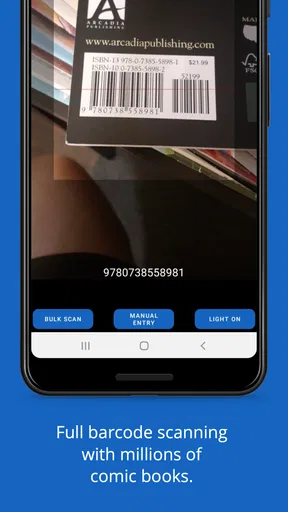
The app’s stated job is to catalog, scan, and manage comics and books. In day-to-day use, the best reason to try that workflow is reducing the effort of making an inventory from scratch. Scanning can give a collection a useful starting point, while personal notes and reading marks can make the resulting list more meaningful than a bare count. I would still treat each scan as a draft: a barcode lookup can save typing, but I’d check that the issue and edition are the one actually in my hand before relying on the entry.
Useful choices when recording a comic
For a collector with a long box of mixed issues, a practical approach is to catalog one short run at a time rather than turn a whole afternoon into a data-entry marathon. I’d scan what has a barcode, then pause on anything that looks like a special edition, variant, or older issue and verify the details manually. That small habit helps prevent a tidy-looking catalog from becoming confidently inaccurate. Notes are useful here too: I’d record a condition reminder, a purchase detail, or a reason an issue matters to me, rather than expecting the app’s standard fields to capture every personal distinction.
Another worthwhile use is checking a collection before buying. If I’m at a comic shop and can search my own list, I’m less likely to pick up an issue I already own. For that to work well, the catalog needs consistent entries. I’d settle on one habit for recording editions and keep it across the collection; otherwise, similar versions can be hard to distinguish later. Marking what I’ve read is a separate kind of value: it turns the inventory into a lightweight record of my progress without confusing ownership with reading history.
Where it fits among other ways to keep track
Compared with a spreadsheet, a purpose-built catalog can make scanning and browsing feel more convenient, and its comic-focused fields are a more natural fit than columns I have to design myself. A spreadsheet may still be better for someone who wants complete control over custom fields, works mostly offline, or enjoys maintaining a highly personalized inventory. A simple notes app is quicker for a tiny collection, but it becomes awkward when I want to search many issues or distinguish what I own from what I have read. This app makes most sense in the middle: more structured than notes, less open-ended than a do-it-yourself database.
I would not choose it just because I want recommendations or a social hub. The published experience describes recommendations based on a collection, but the app is primarily an organizer, and collectors who mainly want to trade or talk with other fans may prefer a dedicated community. Likewise, if I only read comics digitally and have no physical collection to track, a reading-focused service is likely to fit better. Its value rises with the size and variety of the collection, not simply with how much I enjoy comics.
Worth Reading Before You Choose

Flipboard Shows What News Apps Must Do Beyond the Feed

Switching to Android Auto Means Rethinking Your Driving Routine

Google Calendar Makes a Crowded Week Easier to Manage

Ludo King Makes the Most of the Minutes Between Plans

Baby Panda World Brings Quick Play to Modern Phones, but Its Game Library Feels Busy

ESPN’s Live Game View Makes Following Close Games Easier
Trust, syncing, and the details worth checking
For a collection app, trust is partly about whether I can see what I’m entering and correct it when a lookup is imperfect. The barcode scanner is convenient, but it does not remove the need to review the title, issue, and cover before saving an item. I’d be especially careful with comics that have similar covers or multiple editions. That is not a reason to avoid scanning; it is a reason to use it as a shortcut for data entry rather than as proof that an entry is exact.
The app supports syncing a collection across devices, which is useful if I switch between a phone and tablet or want to check my list away from home. Before depending on that for my only copy of a catalog, I’d verify how the account and sync controls work in the app and make sure I understand what is being shared between devices. I would also review the current permission prompts when installing or using camera scanning, and grant only the access needed for the task. Those are sensible checks for any app that handles a personal inventory; they are not claims about a particular privacy policy or permission set.
There is a free starting point, with in-app purchases priced from about $30 to $80 per item. I’d explore the basic catalog workflow before paying, then decide whether the paid options solve a real problem for my collection. That matters because a collector with a modest shelf may not need more than a simple list, while someone managing a large inventory may value a fuller toolset. The current version is 9.0.5 and requires iOS 11 or later, so device compatibility is worth checking before setting aside time to build a catalog.
Getting Started with iCollect Comic Books
First off, downloading iCollect Comic Books was a breeze. A quick search in the app store, a couple of taps, and voila, it was ready to go. The setup process was straightforward, which is a big win for an app designed to catalog something as extensive as comic book collections.
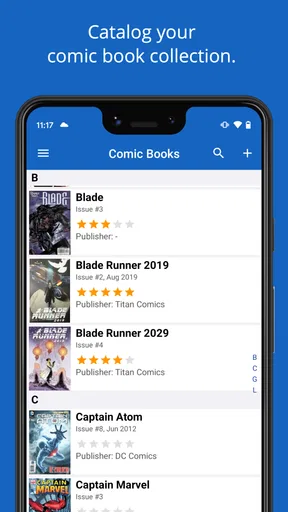
Once you launch the app, you're greeted with a vibrant interface that’s both welcoming and easy to navigate. The design is intuitive, and even if you're not tech-savvy, you’ll find yourself navigating through the options with ease. The app offers a sneak peek into its vast capabilities right from the start, making it clear that it's not just another run-of-the-mill cataloging tool.
Features That Make a Difference
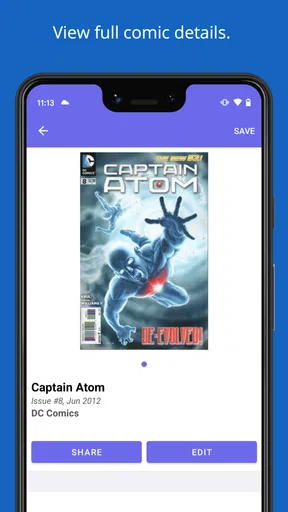
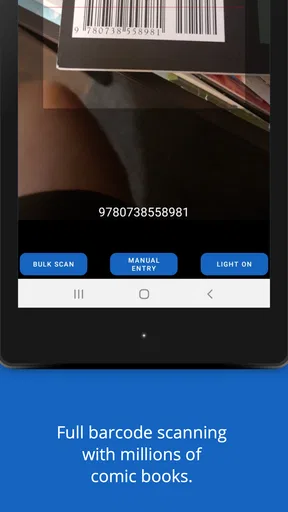
The app packs quite a punch with its feature set. One of the standout features is the barcode scanner. Just point your camera at the comic's barcode, and the app does the rest. It fetches all the necessary details like title, issue number, publisher, and even cover images. This is a massive time-saver, especially if, like me, you have a mountain of comics to catalog.
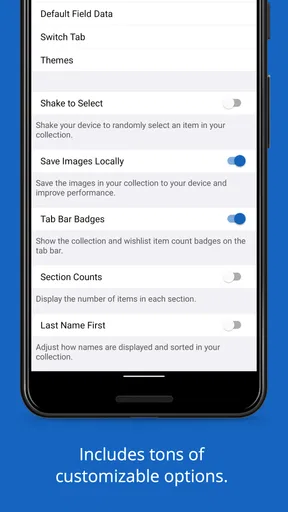
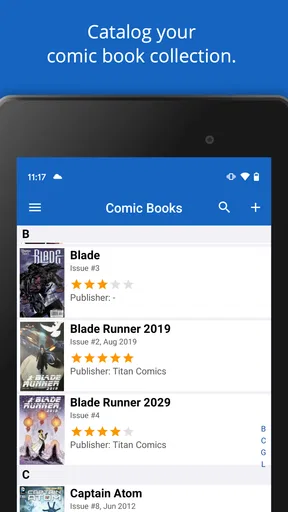
Customization is another area where the app shines. You can add personal notes, rate your comics, and even mark which ones you've read. This level of detail helps in keeping track of not just what you own, but also your personal experience with each comic.
One feature that comic enthusiasts will appreciate is the ability to sync your collection across devices. Whether you're using a phone or a tablet, your collection is just a few taps away. This ensures your collection is always up-to-date, no matter which device you're on.
User Experience and Performance
The app runs smoothly, with no noticeable lags or crashes during my time using it. The developers have clearly put in the effort to optimize the performance, which is crucial for an app that might need to handle large databases of comic books.
Another cool aspect is the community feel. The app offers recommendations based on your collection, which is a nifty way to discover new comics that might pique your interest. It feels like having a personal comic advisor right in your pocket.
For a realistic errand-day test, I’d use the catalog before leaving for a store: search the collection for a run I’m trying to complete, then check each candidate issue as I browse. Once home, I’d record any new purchase while the cover and edition are still easy to inspect. This is more reliable than waiting until the end of the month, when several similar books can blur together. If I share a device or collection with someone else, I’d also agree on one entry style so notes and reading marks remain understandable rather than becoming two competing systems.
Room for Improvement
While iCollect Comic Books is impressive, there are areas where it could improve. For instance, the search functionality is robust, but it could be enhanced to include more filters. This would make it easier to sift through large collections, especially if you’re a super collector.
I'd also love to see a social feature where users can connect and share their collections. Imagine trading comics or recommendations with fellow fans directly through the app. That would take the community aspect to a whole new level.
Final Thoughts
Overall, iCollect Comic Books is a solid choice for anyone looking to organize their comic collection. Its user-friendly interface, powerful features like the barcode scanner, and seamless syncing capabilities make it a must-have for comic enthusiasts. While there's always room for improvement, the app is already a fantastic tool that adds a modern touch to an age-old hobby.
If you're serious about managing your comic collection, give this app a whirl. It might just become your new best friend in the world of comic books.
My cautious recommendation is to start with a representative handful of comics, including a few that are easy to identify and a few that are not. That gives me a quick sense of whether the cataloging process suits my collection before I invest time in a full inventory. I’d compare the results against the books themselves, test a search while the list is still small, and decide whether the available organization is enough for the way I collect. If accuracy, custom tracking, and control over every field matter more than convenience, a spreadsheet may remain the better tool; if scanning and a ready-made comic catalog matter more, this app is the more comfortable place to begin.
Pros
- User-friendly interface for easy navigation.
- Comprehensive database of comic books.
- Barcode scanner speeds up cataloging.
- Frequent updates with new features.
- Cloud backup ensures data safety.
Cons
- Limited offline functionality.
- Some features require a subscription.
- Occasional app crashes reported.
- Limited customization options.
- No integration with other comic platforms.
FAQs for iCollect Comic Books
What platforms is iCollect Comic Books available on?
iCollect Comic Books is available for both Android and iOS devices. You can download it from the Google Play Store for Android or the Apple App Store for iOS. The app is designed to provide a seamless experience across different devices, ensuring you can access your comic book collection on the go.
How does iCollect Comic Books help organize my collection?
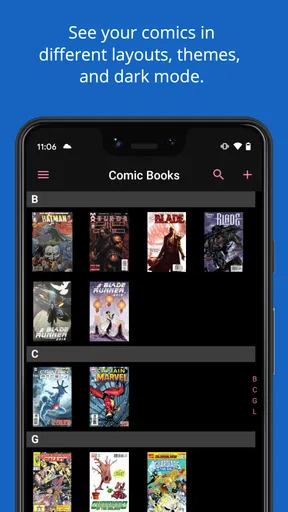
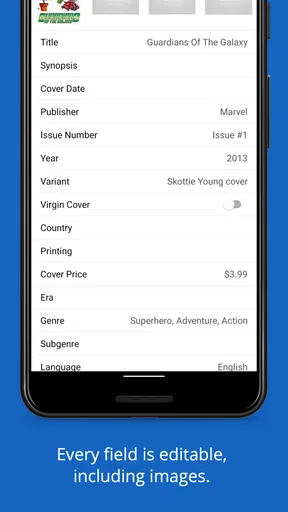
iCollect Comic Books offers a comprehensive cataloging system that allows users to scan barcodes, manually enter details, and organize comics by various categories such as title, author, and publisher. The app also provides options to track issues and variants, helping collectors manage their collections effortlessly and efficiently.
Is the app suitable for beginners and experienced collectors alike?
Yes, iCollect Comic Books caters to both beginners and seasoned collectors. Beginners will appreciate the intuitive interface and easy-to-use features, while experienced collectors can take advantage of advanced functionalities such as detailed metadata entry, wishlists, and the ability to track multiple collections within the app.
Does iCollect Comic Books require an internet connection to function?
While an internet connection is necessary for initial setup and certain features like barcode scanning and database updates, iCollect Comic Books offers offline access to your collection data. This means you can view and manage your collection anytime, even without an active internet connection, making it highly convenient for users on the go.
Are there any in-app purchases or subscriptions in iCollect Comic Books?
iCollect Comic Books offers a free version with basic features; however, to unlock premium features such as unlimited entries, additional customization options, and cloud backup, users may need to subscribe to a premium plan or make in-app purchases. This allows users to choose the level of functionality that best suits their needs.


